The NeuriEye guide · Android
An Android camera. And everything that goes with it.
One Android phone becomes your Sentinel; another keeps you connected to it. Discover detection, event media, live controls and phone health monitoring, together with the practical limits you should know before installing NeuriEye.
Detect what matters
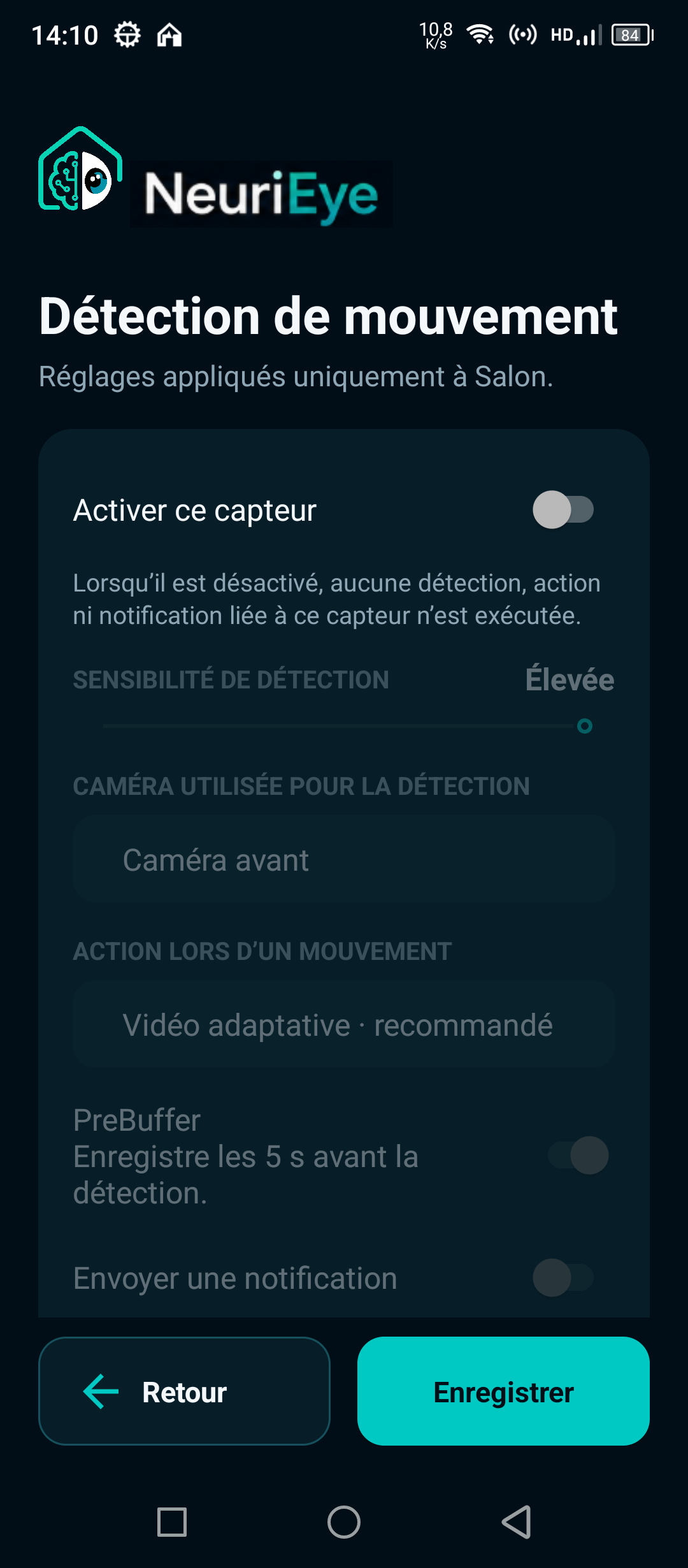
Choose the front or rear camera and one of three motion sensitivity levels. Depending on the phone’s hardware and permissions, you can also configure separate triggers for noise, brightness changes, handling or obstruction, and loss of external power.
Notifications on the Viewer let you check detected events. Take time to test the actual room: lighting changes, distance and background movement affect what the camera sees. Increasing sensitivity is not always the best way to get useful alerts.
Keep the context, not just the alert
The optional PreBuffer can include five seconds of silent video before a detection. Event video can continue while motion persists. Choose photo, video or alert responses to match your setup rather than collecting media you do not need.
The Journal groups related photos and videos so you can review an event together. Open a photo, zoom into it, or save and share a copy when needed. Automatic protection may pause recording or PreBuffer when phone conditions require it: these features do not guarantee continuous recording.
Act from your main phone
Open an end-to-end encrypted live audio and video feed. Available remote controls include changing the camera, taking a photo, starting a manual video, using the intercom, sounding the siren and switching the flashlight on or off. Some controls depend on the phone’s hardware and granted permissions.
You can also enable monitoring remotely when your role permits it. Both devices must be reachable for live functions: an Internet outage or Android restriction can prevent a connection, and network quality affects delay and image quality.
Keep an eye on the phone too
Check battery level, whether external power is connected, estimated remaining battery life, temperature and available storage. History charts help you understand changes over time, but cannot replace a physical inspection of the phone.
Automatic protections respond to excessive heat, low battery and critically low storage. Configure low-battery behavior where available and provide safe power and ventilation. Never rely on software to make a damaged or swollen battery safe.
Share access without sharing your account
The Owner can invite another account as an authorized user or a read-only Viewer. Invitations are single-use and expire; access can be revoked without removing other members. Up to five Viewers can consult a Sentinel simultaneously, while control commands are exclusive to one device at a time.
Revoking access prevents future authorized access but cannot erase a photo or video someone has already exported. Only share with people you trust. Keep account credentials and personal invitation links private.
Media is end-to-end encrypted and stored on your devices, with copies replicated to authorized devices. Neuribrain’s server coordinates identities, permissions and connections; it does not store your photos, videos or private keys. This does not mean the service processes no metadata. Read the privacy and storage guide for the full distinction.
Understand events and incidents
Detected activity and technical incidents are presented separately. Follow active and resolved Sentinel incidents, check synchronization after an outage, and access previously received local media even when the remote phone is unavailable.
Android background restrictions can prevent automatic camera or microphone recovery after a restart or an update. Test screen-off operation and reopen NeuriEye visibly when necessary. Hardware support and permissions vary; check the compatibility guide on your own phones.
NeuriEye is in closed beta on Google Play. It is not a certified professional security system. Verify your first event, live connection and recovery behavior before depending on your installation.